

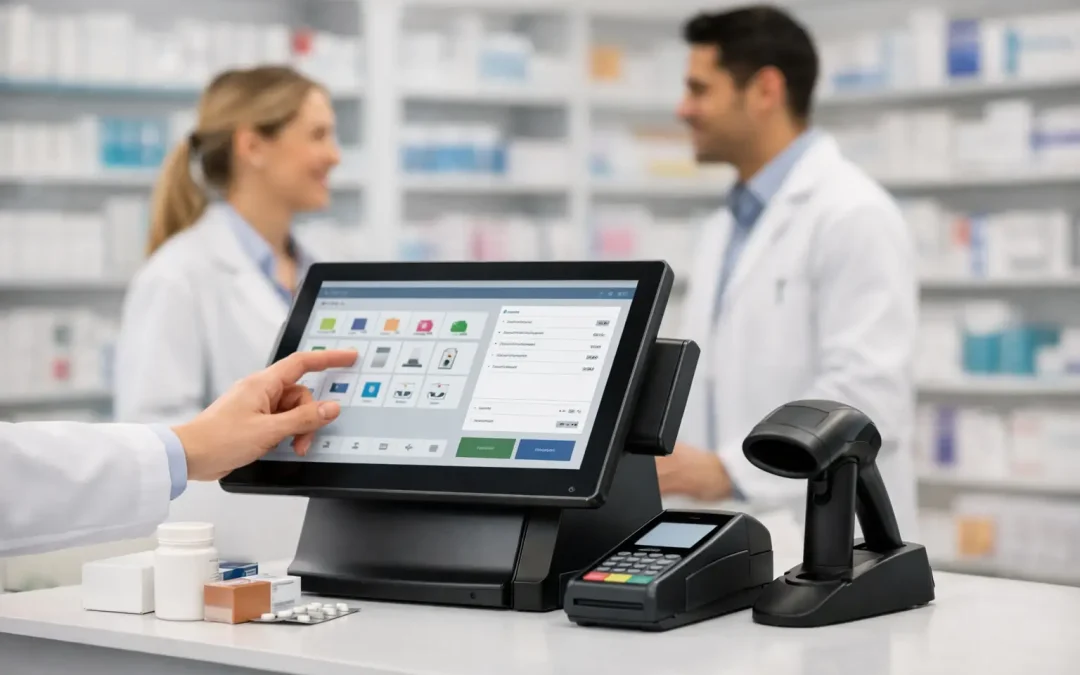
A pharmacy EPOS is no longer just the till at the front of the shop. For a busy community pharmacy, it should be the practical link between counter service, patient information, retail decisions, payments and daily operational control. When the system is designed around pharmacy work, it removes avoidable steps at the counter and gives the whole team clearer information when it matters.
That matters because counter conversations rarely fall neatly into one category. A customer may ask for a medicine, a price, an order update and advice about a service in the same visit. The right EPOS helps the team move through that interaction confidently, without switching between disconnected systems or leaving the customer waiting while information is found elsewhere.
Pharmacy EPOS should support the whole counter
Generic retail point-of-sale systems can process a transaction. That is useful, but it does not answer the specific demands of a pharmacy counter. Pharmacy teams need to balance retail service with patient care, clinical signposting and the practical reality of dispensing.
A pharmacy-first system should give authorised users access to relevant PMR information at the point of sale. This can help a team member confirm whether an item is ready, check a patient record where appropriate, or direct the query to the right colleague without unnecessary back-and-forth. It is not about turning the counter into the dispensary. It is about making routine conversations quicker and better informed.
The difference is felt most clearly at busy times. If a queue is building, the team needs a clear route through each transaction. Accurate pricing, fast barcode scanning, integrated card payments and prompts that support relevant services all reduce friction. The customer receives a more assured response, while pharmacists and dispensers are interrupted less often for information the counter can safely access.
Faster service without losing the human interaction
Speed is valuable, but it is not the only measure of a good counter experience. A pharmacy is a place where people often need reassurance, discretion or a simple explanation. EPOS should create more time for those moments, rather than forcing staff to focus on the screen.
Consider a customer collecting a prescription who also needs advice on a minor condition. A well-configured system can help the team identify the patient’s status, complete the retail element of the visit and flag a suitable Pharmacy First conversation. The pharmacist still makes the clinical judgement. The technology simply makes the opportunity easier to spot and record.
Rear-facing displays can also improve the transaction itself. They allow customers to see items, prices and offers clearly as they are scanned, which can reduce queries and help build trust. In the right setting, customer displays can promote seasonal health services or relevant retail categories without relying on counter staff to remember every campaign message.
There is a trade-off to manage. Too many prompts can slow the team down and make conversations feel scripted. The best setup uses targeted prompts that match the pharmacy’s services, patient base and local priorities. Configuration should support good judgement, not replace it.
Stock control needs to reflect pharmacy reality
Poor stock visibility creates pressure in several directions. It can lead to missed retail sales, unnecessary supplier orders, time spent searching shelves and awkward conversations when a customer expects an item to be available. It also makes it harder for owners and managers to understand what is actually performing across the shop.
An effective pharmacy EPOS brings stock data into everyday counter work. Teams should be able to see availability quickly, use accurate product and pricing data, and make informed decisions about replenishment. Supplier ordering tools can reduce manual effort and provide a clearer route from identifying a gap to placing an order.
For pharmacy owners, the value is broader than avoiding an empty shelf. Better stock control can help identify slow-moving lines, reveal overstocked categories and show where margin is being lost through incorrect pricing or poor buying decisions. C&D pricing data is particularly useful where a pharmacy needs current, reliable product information rather than a generic retail catalogue.
Stock control still depends on good routines. Deliveries must be booked in correctly, damaged or returned products need recording, and teams need a consistent approach to scanning. Technology makes these jobs easier to manage, but it cannot correct inaccurate data that has been ignored for weeks. A good provider will help establish workable processes during implementation, rather than simply installing equipment and leaving the team to work it out.
Payments are part of the commercial decision
Card processing is now a significant cost for many pharmacies, particularly where transaction volumes are high and average basket values vary throughout the day. EPOS and payment acceptance should therefore be considered together, not as separate purchases made by different suppliers.
Integrated payments remove the need for staff to enter transaction values manually into a separate terminal. This can speed up checkout, reduce keying errors and make end-of-day reconciliation more straightforward. It also means payment information is captured alongside sales data, giving managers a more accurate view of how the branch is trading.
The commercial detail matters. A low headline rate may not be the right choice if it is offset by rental charges, longer commitments or limited support when a terminal fails. Equally, the cheapest system is not always the best value if it causes lost sales, more administration or repeated calls to different suppliers. Ask for a clear comparison of processing rates, hardware costs, contract terms and support responsibilities before making a decision.
Web reporting turns activity into decisions
Most pharmacies hold more sales data than they use. The issue is not a lack of reports. It is having reports that answer practical questions quickly: Which categories are growing? Which promotions generated sales? How does one branch compare with another? Are staff seeing the expected uptake for a seasonal campaign?
Web-based reporting gives owners and managers a way to review performance without being tied to the counter. For a single-site pharmacy, this can make weekly retail checks more manageable. For a group, it provides a more consistent view across branches, helping management identify differences in range, pricing and local performance.
The most useful reports are often the simplest. Daily sales, category movement, best and worst performers, payment totals and promotional results can inform real action. If a cold and flu display is not converting, the pharmacy can change its positioning or range. If a category is selling well but repeatedly running out, ordering can be adjusted before the opportunity is lost.
Data needs context. A rise in sales may reflect a local outbreak, a temporary price change or a successful service campaign rather than a lasting trend. Reporting should guide questions and decisions, not encourage teams to chase a number without understanding what sits behind it.
Choosing a pharmacy EPOS partner
The system matters, but so does the team behind it. EPOS sits at the centre of the pharmacy’s daily trading activity. If a counter, payment terminal or network connection fails, the impact is immediate. This is why pharmacy owners should assess implementation and support with the same care as features and price.
A dependable provider should be able to manage the full process: consultation, hardware supply, delivery, installation, training, configuration and ongoing technical support. For a new owner, that reduces the risk of inheriting a confusing setup. For an established business replacing older equipment, it gives the team a clear plan for migration with less disruption to trading.
When comparing suppliers, look beyond the sales demonstration. Ask how PMR access works in practice, how Pharmacy First activity can be supported, who installs the equipment, what training is included, and what happens when a branch needs help outside standard office hours. For multi-site operators, also ask how configurations, reports and support are managed across the estate.
It is worth checking whether software licence fees, monthly platform charges, maintenance and payment costs are clearly explained. Predictable costs make budgeting easier, especially when a pharmacy is investing in several counters, kiosks, display screens or a wider retail refresh. MedEpos approaches this as a full-service pharmacy technology partnership, with the aim of giving teams one accountable point of support rather than a collection of disconnected providers.
Build the system around the way your pharmacy works
The best EPOS installation is not necessarily the one with the longest feature list. It is the one that fits the layout of the branch, the confidence of the team, the services being delivered and the commercial goals of the owner. A high-volume urban pharmacy may prioritise rapid transaction flow and patient-service prompts. A village pharmacy may place more value on stock availability, tailored ordering and familiar customer interactions. A growing group may need consistent reporting and controls across every branch.
Start with the pressure points your team experiences every day. Where do queues form? Which questions repeatedly pull dispensers away from their work? Which stock tasks take too long? What information would help a manager make decisions before the end of the month? Those answers provide a stronger basis for an EPOS decision than a generic feature checklist.
A pharmacy EPOS should quietly make the working day easier: less administration at the counter, better visibility behind the scenes and more space for the conversations patients remember.