

A pharmacy counter is where retail, prescriptions, patient questions and payments meet. A poorly planned pharmacy counter hardware setup can turn that busy point into a bottleneck: staff switch between screens, receipts pile up, card terminals lose connection and patients wait longer than they should. The right setup does the opposite. It gives every colleague the tools and information they need within reach, so service stays accurate, personal and commercially effective.
For independent pharmacies and growing groups, this is not simply a question of choosing a till. It is about building a counter environment that supports how your team actually works, from a quick sale of a remedy to a Pharmacy First conversation or a collection query requiring PMR information.
Start with the counter journey, not the equipment
Before specifying a touchscreen, scanner or payment terminal, map what happens at each counter position. Consider where patients queue, where prescriptions are handed over, where payments are taken and where staff need to pause for a private or more detailed conversation.
A counter that handles mainly retail transactions may need a different arrangement from one next to the prescription collection point. Equally, a busy branch with two or three colleagues serving at once needs clear ownership of each workstation. Hardware should remove unnecessary movement, not force staff to step around cables, printers or one another.
Look at the busiest fifteen minutes of a typical day. How many transactions are processed? How often does the team need to check patient or prescription information? Are colleagues walking to a back-office computer to answer a stock or pricing question? These observations reveal where the current setup is costing time.
Design for the person standing behind the counter
The main EPOS screen should be comfortable to view and use throughout a long shift. Position it so the colleague can maintain eye contact with the patient without twisting or repeatedly reaching across the counter. A touchscreen can speed up common actions, but it needs a stable mount and a screen angle that reduces glare from shopfront windows or overhead lighting.
A customer-facing display is equally useful. It confirms scanned items, prices and totals as the sale progresses, helping reduce misunderstandings at the point of payment. Where appropriate, a rear display can also promote seasonal services, retail offers or health messaging. It turns otherwise unused screen space into an opportunity to inform patients and encourage relevant purchases.
The practical details matter. Keep cables secured and protected, leave sufficient ventilation around devices, and make sure drawers and cupboards can still open fully. A tidy counter looks more professional, but more importantly, it is easier to clean, safer to operate and quicker to maintain.
Choose pharmacy-specific counter hardware
Generic retail POS equipment can process a sale, but a community pharmacy needs more from its counter technology. The hardware must support a system that can bring retail activity together with pharmacy workflows, including PMR access, patient-service tracking, supplier ordering and accurate pricing data.
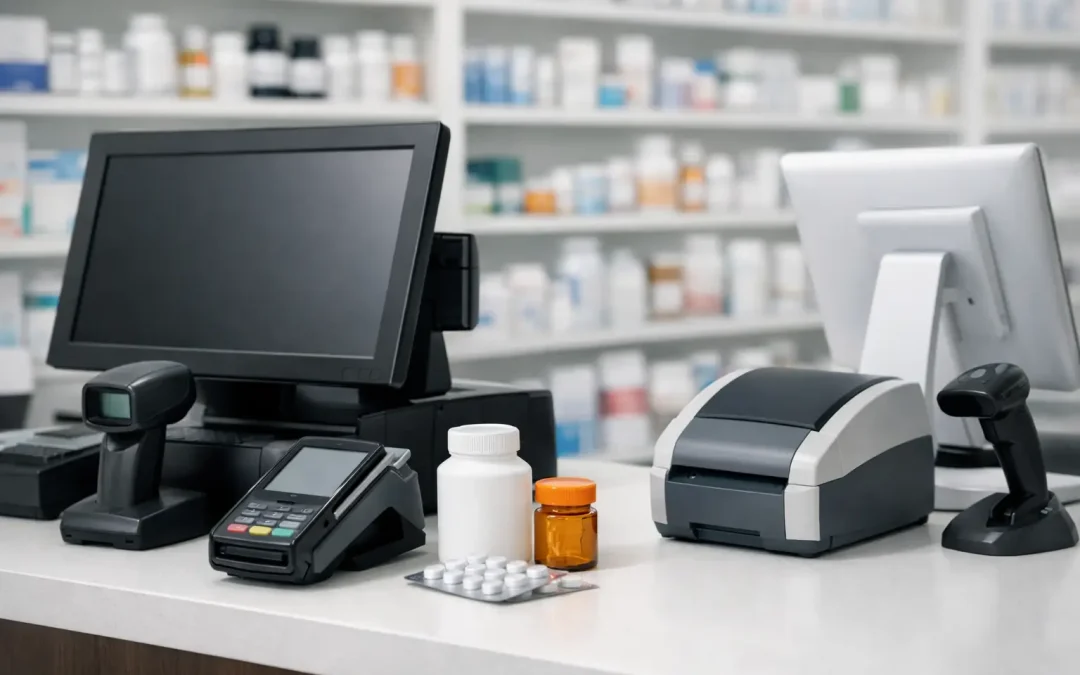
A typical counter position combines an EPOS touchscreen, cash drawer, receipt printer, barcode scanner and integrated card terminal. Each part has a clear purpose, and reliability across the whole set matters more than the specification of one device in isolation.
A scanner should read the barcodes commonly found on healthcare and retail products quickly, including small or awkwardly positioned labels. A dependable thermal receipt printer avoids delays at the end of a sale and can support clear transaction records. Cash drawers need to be sturdy, correctly connected and configured to open only when appropriate.
Payment processing deserves particular attention. The terminal should be positioned for patients to use comfortably, with a clear screen and enough cable length to avoid stretching across the transaction area. It also needs a stable network connection. If card payments fail during a rush, the queue grows quickly and counter teams are placed under needless pressure.
It is tempting to reuse ageing peripherals when replacing an EPOS system. Sometimes that is sensible, particularly where equipment is in good condition and fully compatible. However, false economies are common. An unreliable printer, unsupported scanner or payment terminal with intermittent connectivity can undermine the benefits of a new system from day one.
Build PMR and service access into the workflow
At the counter, patients do not separate their questions into retail and clinical categories. They may ask about a product, collect a prescription, enquire about a service or need advice on what to do next. Staff need a clear, appropriate route to the information that helps them respond.
A pharmacy-first EPOS platform can provide PMR access at the counter, reducing the need to leave the patient standing while a colleague checks another device. This can improve the quality of the interaction as well as the speed of service. The team can confirm relevant details, guide the patient to the right next step and keep the conversation moving.
For pharmacies delivering Pharmacy First services, prompts and activity tracking should be part of the counter environment rather than an afterthought. The purpose is not to turn every sale into a script. It is to give staff helpful cues when an eligible service or conversation may be relevant, while leaving professional judgement where it belongs.
Privacy must shape these decisions. Screens should not be visible to waiting patients, and staff need a clear process for moving sensitive conversations away from the main queue. Hardware can support good practice, but it cannot replace sensible counter layout, staff training and clear patient communication.
Make stock and pricing visible when it counts
A patient asking whether an item is available expects an answer in seconds, not a search through shelves or a call to the dispensary. Counter hardware should give staff access to live stock information, product details and accurate pricing without slowing down the sale.
When EPOS, stock control and supplier ordering work together, colleagues can see what is available, identify alternatives and make more informed decisions about replenishment. This is especially valuable for fast-moving seasonal lines, specialist products and higher-value retail ranges where missed availability can mean missed sales.
Accurate pricing is just as important. Pharmacy retail has its own commercial pressures, with changing costs, promotions and patient expectations all influencing purchasing decisions. Access to current C&D pricing data and clear product information helps protect margins while giving counter teams the confidence to handle questions professionally.
For multi-site operators, consistency matters. A patient should not receive a different answer about a price, promotion or product availability simply because they visited another branch. Central reporting and common system settings make it easier to manage performance without creating extra administration for local teams.
Plan the network and power before installation day
The most visible equipment is only as dependable as the infrastructure behind it. A pharmacy counter hardware setup should include a proper review of power points, wired network connections, Wi-Fi coverage and backup arrangements.
Where possible, core counter devices should use reliable wired connections rather than depending entirely on wireless signals. Wi-Fi remains useful for mobile tools and operational flexibility, but a fixed till, payment terminal or printer benefits from a stable connection. Network issues can look like software faults to the person at the counter, so clear installation planning saves a great deal of frustration later.
Think about what happens during a power cut or internet interruption. The exact solution depends on the pharmacy, the number of counter positions and local connectivity, but the question should be asked early. Uninterruptible power protection for appropriate equipment, sensible cable management and a known support route can limit disruption when problems occur.
This is also why installation should not be treated as a delivery exercise. Equipment needs to be installed, tested and configured as a working pharmacy environment. That includes payment processing, printers, scanners, displays, user access and any relevant PMR or service integrations.
Give the team a setup they trust
Even the best equipment creates pressure if staff are expected to learn it during a busy trading day. Training should be based on real counter tasks: processing a retail sale, handling a refund, checking a product, finding a patient record where permitted, responding to a service prompt and resolving a payment issue.
Managers should also know how to use web-based reports to review sales patterns, stock performance and service activity. The value of a connected EPOS system is not limited to the transaction itself. It is the visibility it gives pharmacy owners and branch teams when making everyday commercial decisions.
A dependable supplier should provide more than boxes of hardware. Consultation, installation, implementation, training, helpdesk access, field service and maintenance all influence whether the system remains useful after the first week. With more than 30 years of pharmacy EPOS experience, MedEpos approaches the counter as part of the pharmacy operation, not as a standalone retail checkout.
Leave room for change
No two pharmacies have identical counter pressures, and those pressures change. A refit, a growing prescription volume, new clinical services or an expanded retail range may alter what each position needs. Build enough flexibility into mounting, cabling and network capacity that future changes do not require starting again.
The best counter setup feels almost unremarkable to the people using it. Patients are served promptly, staff can find the right information, payments are accepted without fuss and managers can see what is happening across the business. That is the practical standard worth planning for: less admin, more insight and more time for the patient in front of you.