

A card payment takes seconds. The impact of the terminal behind it can last far longer, especially when a queue is building, a patient needs advice and the team is moving between retail sales and pharmacy services. When considering integrated versus standalone card terminals, the right choice is not simply about taking contactless payments. It is about how well the payment process supports the way your pharmacy actually works.
A standalone device can be quick to deploy and may suit a simple counter requirement. An integrated terminal can remove repeated keying, improve transaction accuracy and give a clearer picture of sales activity. Neither is automatically right for every pharmacy. The useful question is where delays, errors and administration currently occur – and whether the terminal will reduce them.
What is the difference between integrated and standalone card terminals?
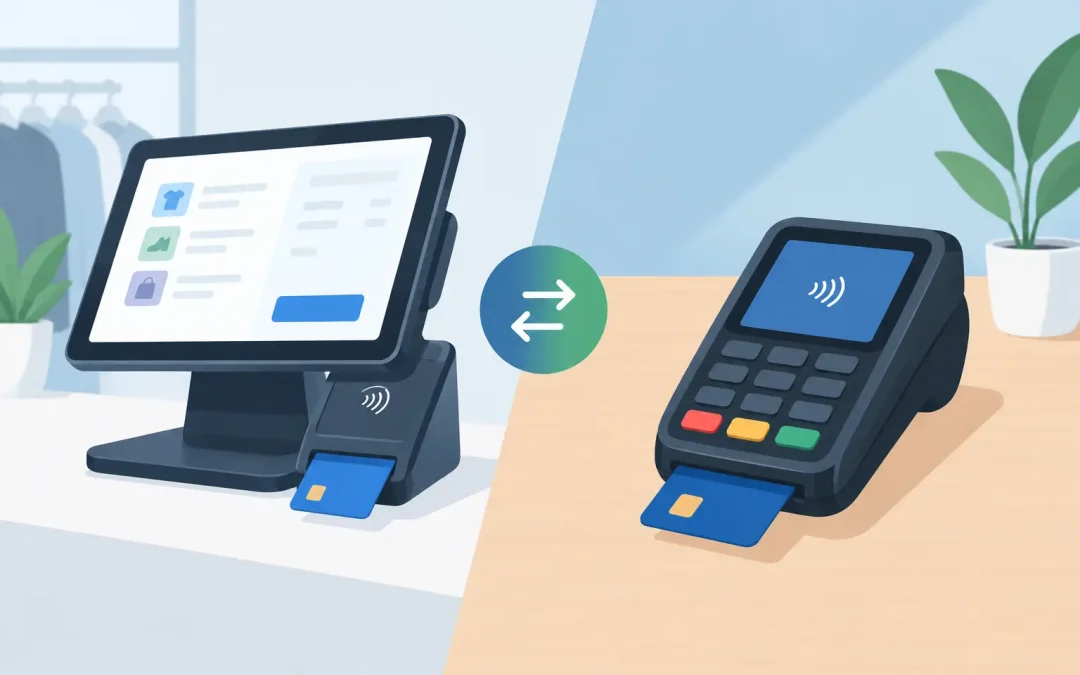
A standalone card terminal operates independently from the EPOS. Your team enters the transaction value into the till, then enters the same value into the payment terminal. Once payment is approved, they complete the sale on the EPOS separately. The terminal may use Wi-Fi, mobile data or a fixed connection, depending on the model and location.
An integrated card terminal is connected to the EPOS system. When the cashier selects card payment, the sale value is sent directly to the terminal. The patient taps, inserts or uses their mobile wallet, and the approval is returned to the till. The transaction is completed as one connected process.
That sounds like a small distinction, but it matters at a busy pharmacy counter. A typical sale may include over-the-counter medicines, prescriptions, exempt items, retail products, services and age-restricted goods. The more steps a team member must repeat, the more chance there is of a mismatch, a delay or an awkward correction while customers wait.
Integrated versus standalone card terminals at the pharmacy counter
The main practical benefit of integration is speed with control. There is no need to key the total into a separate machine, then check that the figure matches the EPOS. This can make everyday transactions quicker, particularly during lunchtime peaks, after surgery closes or when several people are waiting for prescriptions.
It also helps reduce avoidable errors. A mistyped amount on a standalone terminal can create a difficult conversation with a patient and extra work for the team. Refunds and corrections take time, and they can complicate reconciliation at the end of the day. With an integrated terminal, the approved amount follows the EPOS sale value automatically.
For pharmacy owners and managers, integration can make reporting cleaner too. Card takings are recorded against the relevant sale in the same counter environment, making it easier to compare payment totals, retail performance and staff activity. This does not replace good cashing-up procedures, but it gives the team a stronger starting point when investigating a discrepancy.
A standalone terminal is not without advantages. It may be useful as a backup device, at a temporary counter, for deliveries, or where an existing EPOS cannot support integration. It can also be moved between locations more easily if the terminal has a reliable mobile connection. For a very low-volume counter, the time saved through integration may not outweigh the cost or effort of changing an established arrangement.
The decision therefore depends on volume, workflow and the wider system. A terminal should be assessed as part of the counter setup, not bought in isolation.
Counter speed is more than payment speed
It is tempting to compare terminals purely by how quickly they connect to the card network. In practice, counter speed is shaped by the full transaction. Can the team find the right product and price quickly? Can they view useful PMR information where appropriate? Can the sale be completed without switching between screens or re-entering figures? Can they deal with a declined payment without losing the transaction?
An integrated setup is most valuable when it sits within a pharmacy-first EPOS workflow. For example, accurate product and pricing information can support the sale before the payment is taken, while the connected terminal finishes it without creating another manual task. The outcome is not just a faster tap of a card. It is less pressure on the person serving and more time to focus on the patient in front of them.
Reliability needs planning, not assumptions
Every payment setup relies on power, connectivity and support. A standalone terminal can continue to be useful if a specific till has a problem, while an integrated terminal depends on a healthy connection between the EPOS and payment device. That does not make integration unreliable. It means the installation must be properly designed, tested and supported.
Ask how the terminal connects, what happens if broadband drops, whether mobile fallback is available, and how quickly faults are diagnosed. Also ask who owns the support issue when something goes wrong. If the EPOS supplier, payment provider and hardware supplier each point elsewhere, the pharmacy is left managing the problem at its busiest moment.
A single technology partner can be particularly helpful here. MedEpos supplies pharmacy EPOS, counter hardware and payment processing as part of a supported counter solution, so the installation can be planned around the pharmacy rather than around disconnected products.
Costs: look beyond the terminal price
A card terminal quote is only useful when its full commercial picture is clear. The upfront hardware cost matters, but so do transaction rates, monthly rental, minimum charges, software or integration fees, contract length, replacement costs and support arrangements.
Standalone terminals can appear cheaper because they are straightforward to obtain. However, a lower initial cost may come with higher processing rates, a monthly charge, limited support or a contract that is difficult to change. Equally, an integrated terminal may have a setup cost but deliver savings through fewer errors, faster service and less end-of-day investigation.
For an independent pharmacy, even small differences in card-processing rates can add up. For a group, consistency across branches becomes equally important. Compare like for like: expected card turnover, average transaction value, debit and credit card mix, contract terms, PCI responsibilities and any charges that appear only after the introductory period.
The cheapest quote is not always the lowest-cost operation. A terminal that interrupts service, creates reconciliation work or cannot be supported promptly can be expensive in ways that do not appear on the first invoice.
Questions to ask before choosing a terminal
Before committing, map a normal busy hour at your counter. How many sales are card payments? How often do staff manually key values? Where do refunds, voids or payment mismatches arise? Do branches need the same configuration? Are there additional payment points at consultation areas, collection points or retail displays?
Then ask prospective suppliers direct questions. Does the terminal integrate with the specific EPOS configuration being supplied? Is the payment amount passed automatically in both sales and refunds? What reporting is available? What is the process if the terminal or connection fails? Who provides installation, staff training and ongoing helpdesk support? Can rates be reviewed against your current processing costs?
It is also worth involving the people who use the counter all day. Owners need commercial confidence, but dispensers and counter assistants can identify friction that is invisible on a spreadsheet. If a new payment process adds steps at the busiest time of day, the team will feel it immediately.
Choose the setup that reduces work
For most busy community pharmacies, an integrated terminal is the stronger long-term option when it is paired with a well-supported pharmacy EPOS system. It reduces duplicate entry, supports cleaner transaction records and keeps the counter moving. It is particularly relevant where retail sales, stock control, patient services and reporting need to work together.
There are still valid reasons to retain or add standalone devices. They can provide flexibility, serve as a contingency option and meet needs that do not justify a fully integrated counter. The best arrangement may include both: integrated terminals at primary tills, with a standalone device available for a mobile, temporary or backup role.
Choose the arrangement that gives your team fewer opportunities to stop, recheck and correct. When payment technology quietly removes work from the counter, staff have more capacity for the conversations that matter to patients.